
IGCSE Maths Formula Sheets
Free IGCSE Maths formula sheets covering the full Pearson Edexcel syllabus, designed for your phone’s lock screen so you see key formulae every time you pick up your phone. Pick a topic below, save the image, and set it as your wallpaper. No signup, no fees, just useful revision built by a Mathematics teacher.
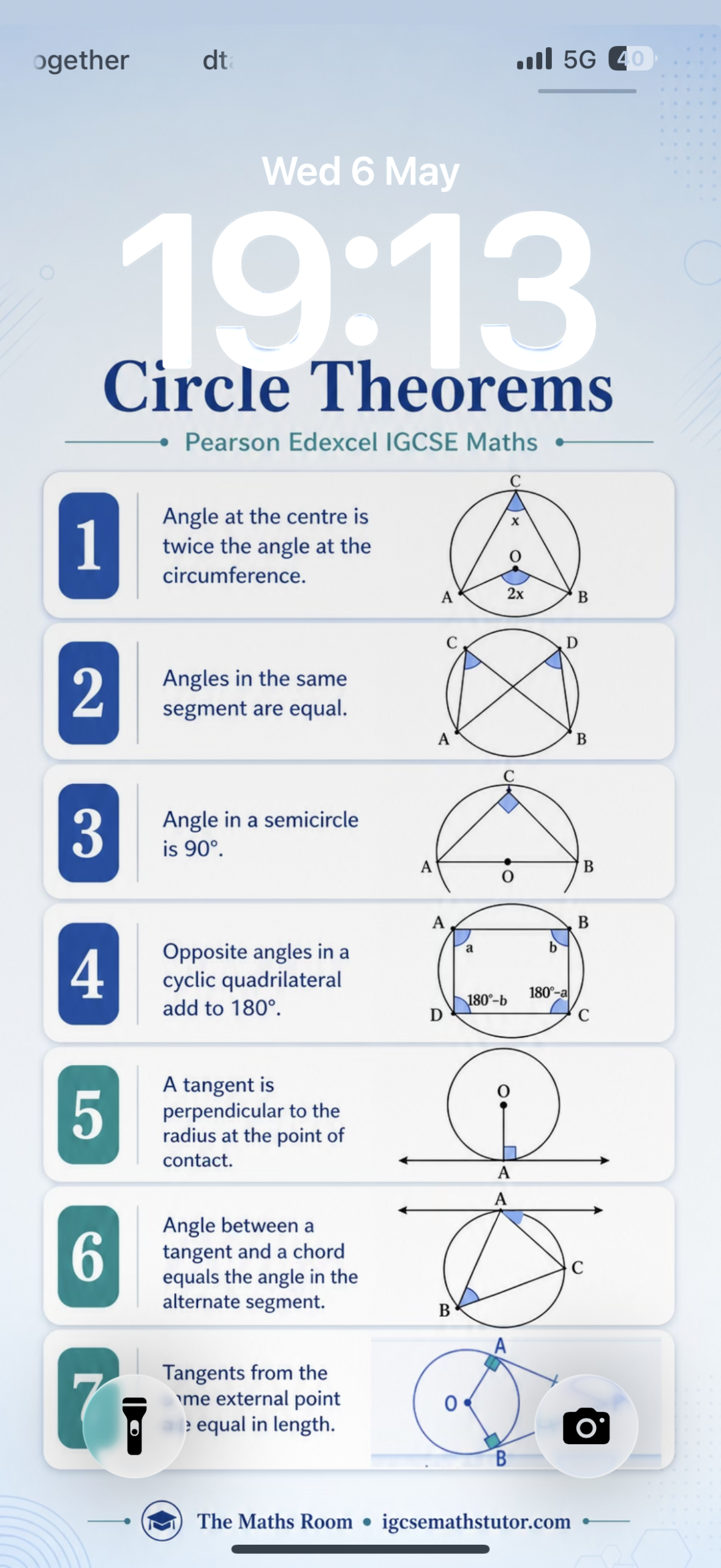
Put Maths on Your Lock Screen
Ten free formula sheets covering the Pearson Edexcel IGCSE Maths syllabus. Each one is sized to fit a phone screen, so every time you pick up your phone you get a quick revision hit. No signup, no email, no fuss.
⬇ Download All 10 Sheets (ZIP)Or grab individual sheets below.
How to Set as Your Lock Screen
The best setup is to use Photo Shuffle on iPhone or an equivalent carousel option on Android, with the images selected manually. This lets you adjust each one so the clock does not cover the important content.
iPhone (Photo Shuffle)
- Save the formula sheets to your Photos.
- Long-press on your lock screen.
- Tap the + button to add a new lock screen.
- Select Photo Shuffle.
- Choose Select Photos Manually.
- Select the formula sheets you want to use.
- Tap Add (or the tick).
- For each image, zoom out and centre it so the clock does not cover the main content.
- Choose how often the image should change:
- On Tap: changes when you tap the lock screen.
- On Lock: changes each time you lock your phone.
- Hourly: changes every hour.
- Daily: changes once a day.
- Tap Add, then set it as your lock screen.
Android (Lock Screen Shuffle)
Android phones vary by model, so the steps may differ slightly.
- Save the formula sheets to your phone.
- Create a folder or album called IGCSE Maths Revision in Gallery or Photos.
- Open your phone's wallpaper settings.
- Look for Lock screen wallpaper, Wallpaper services, Wallpaper carousel, Dynamic lock screen, or Slideshow.
- Choose the IGCSE Maths Revision folder or album if your phone allows this.
- Set it to change automatically if that option is available.
- Adjust each image so the clock does not cover the key information.
- Save it as your lock screen.
How to Use These Sheets
Choose a topic you find difficult and set it as your lock screen for a few days. Every time you see it, test yourself before reading the details. Ask yourself:
- What is the formula?
- What does the diagram show?
- Can I remember the rule before looking?
Small repeated exposure to something you check 80 times a day adds up fast. Rotate to a new topic once you know it.
Choose Your Formula Sheet
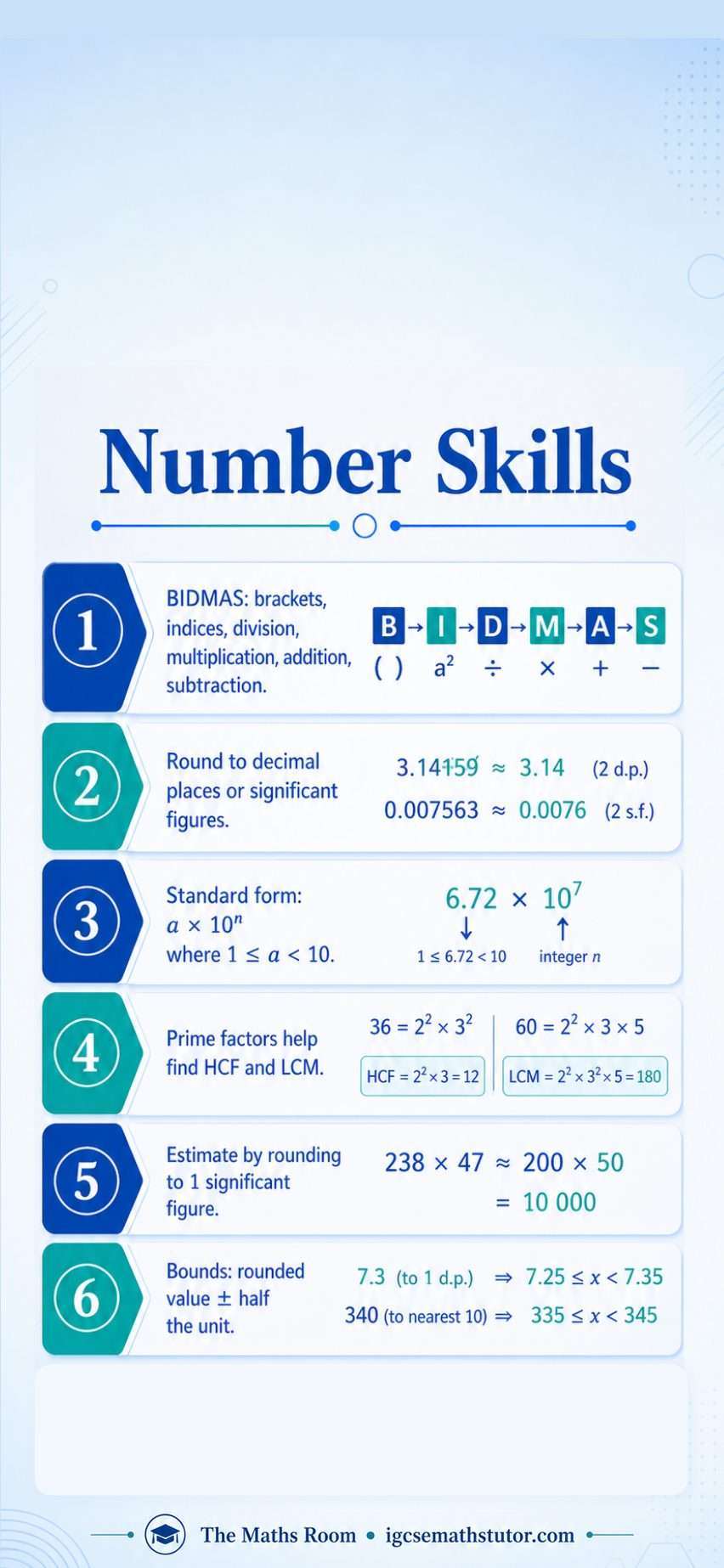
Number Skills
BIDMAS, rounding, significant figures, standard form, HCF and LCM, estimation, upper and lower bounds.
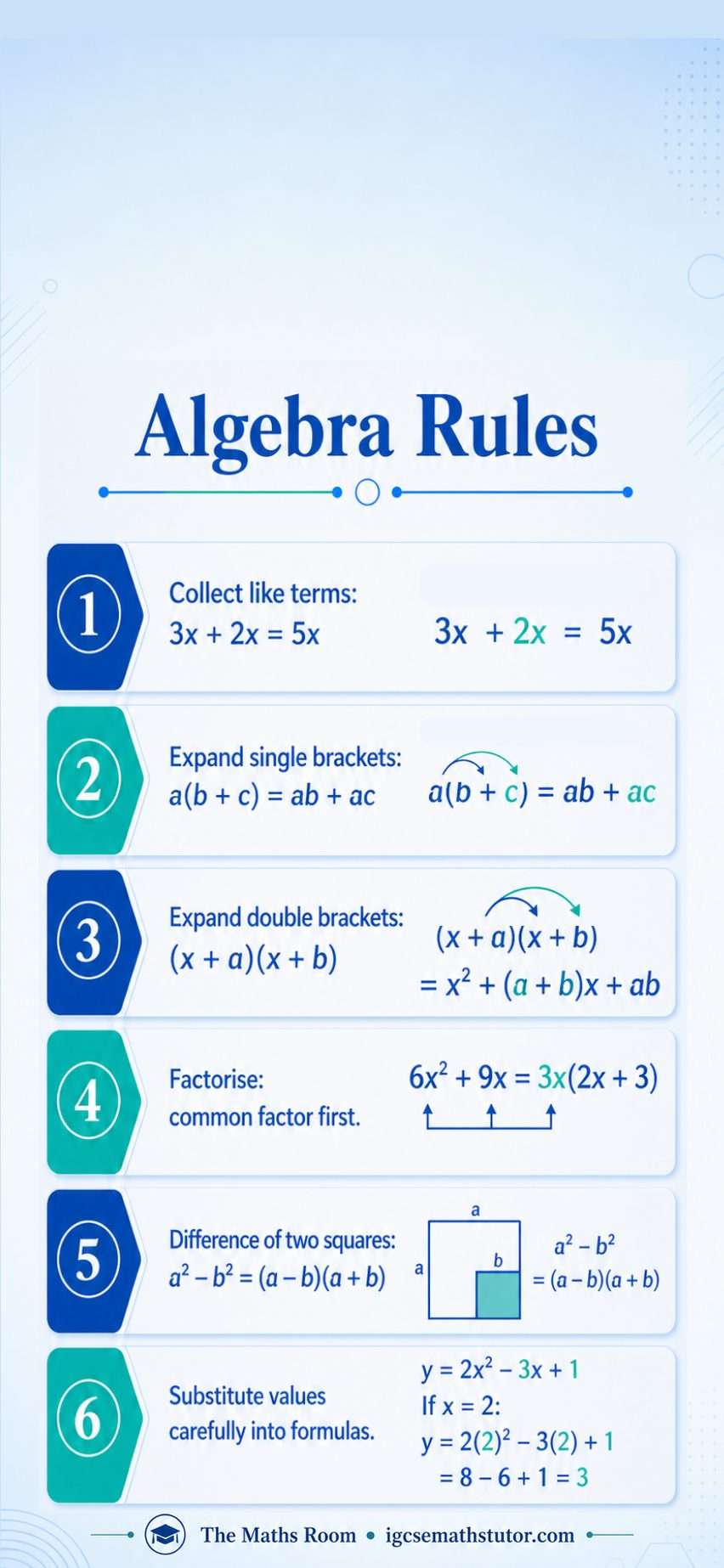
Algebra Rules
Collecting like terms, expanding single and double brackets, factorising, difference of two squares, substitution.
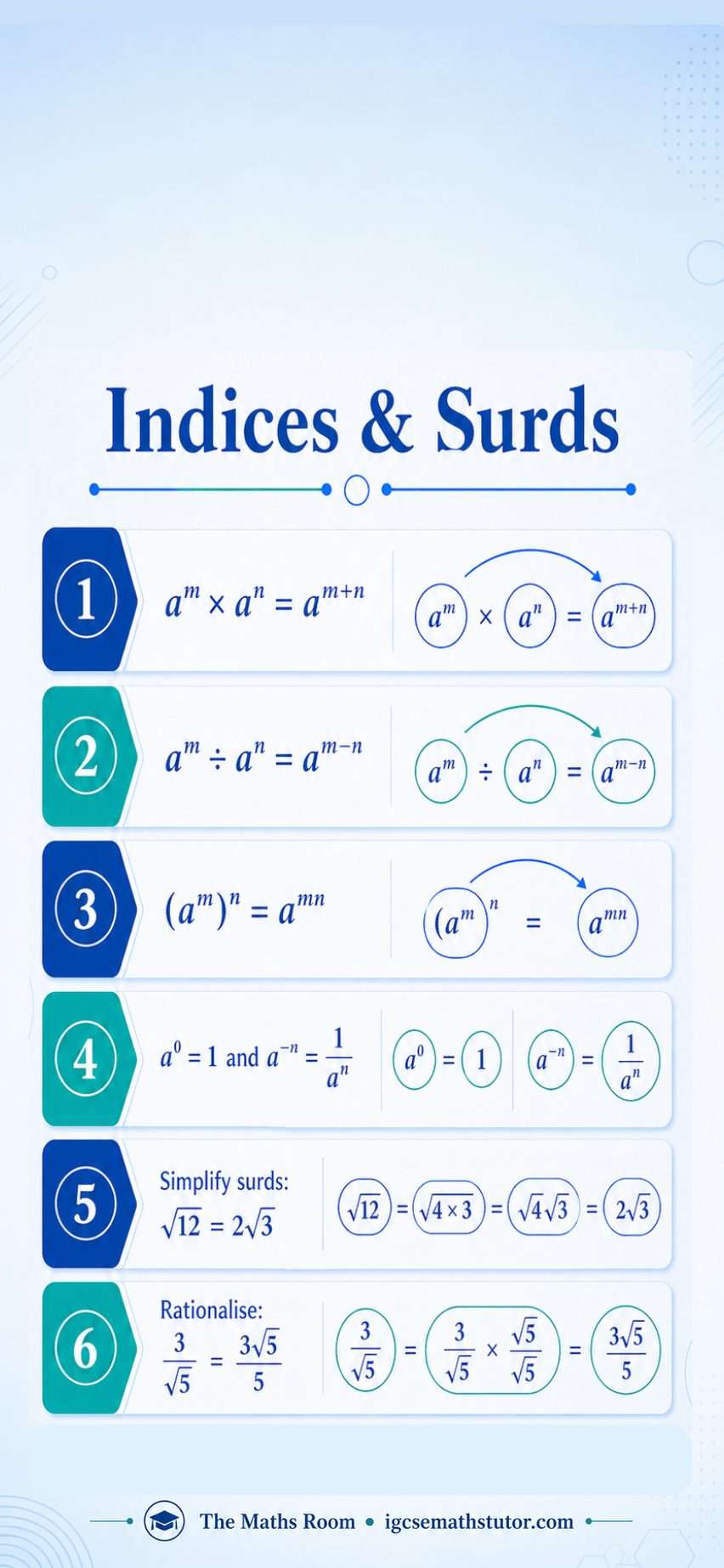
Indices & Surds
The three index laws, zero and negative powers, simplifying surds, rationalising the denominator.
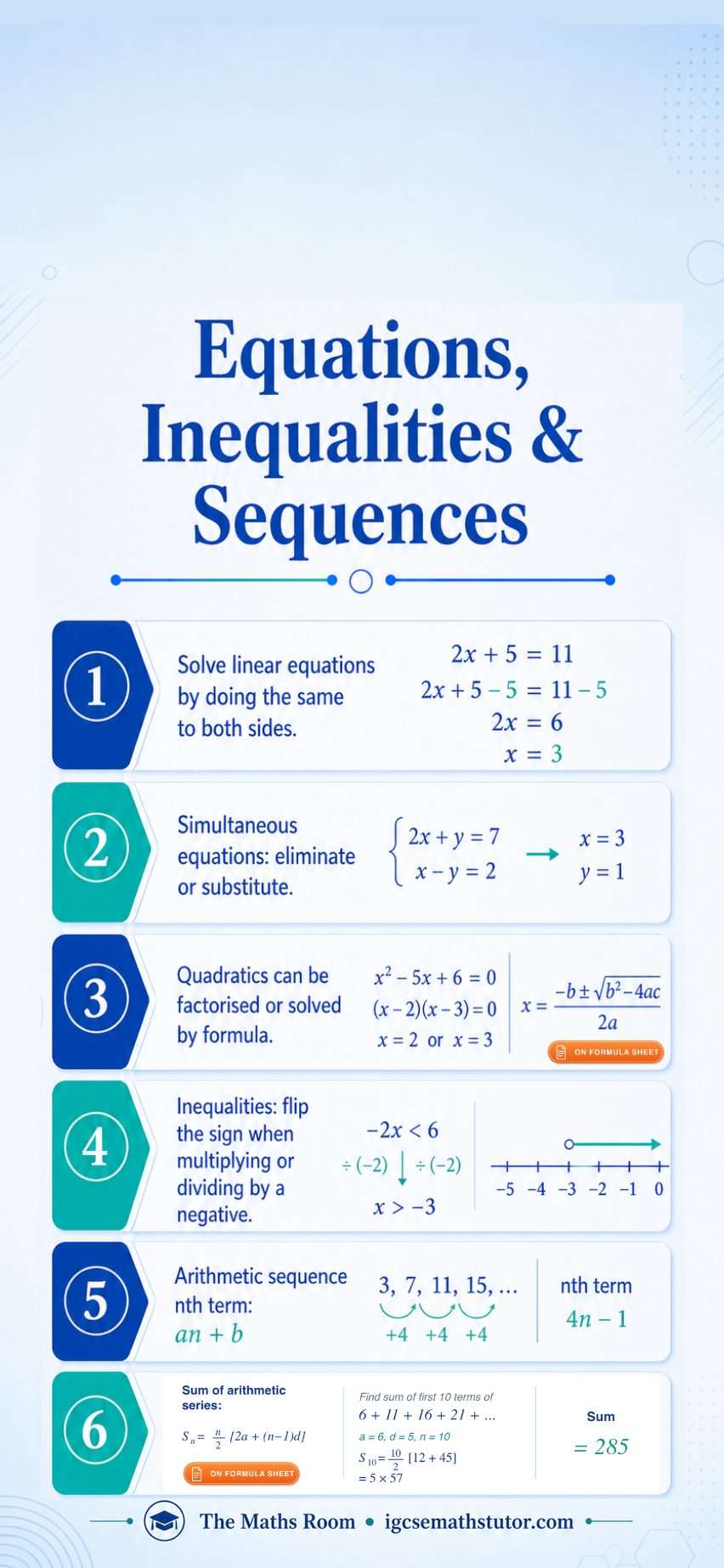
Equations, Inequalities & Sequences
Linear and simultaneous equations, quadratic formula, inequality rules, nth term of an arithmetic sequence, sum of an arithmetic series.
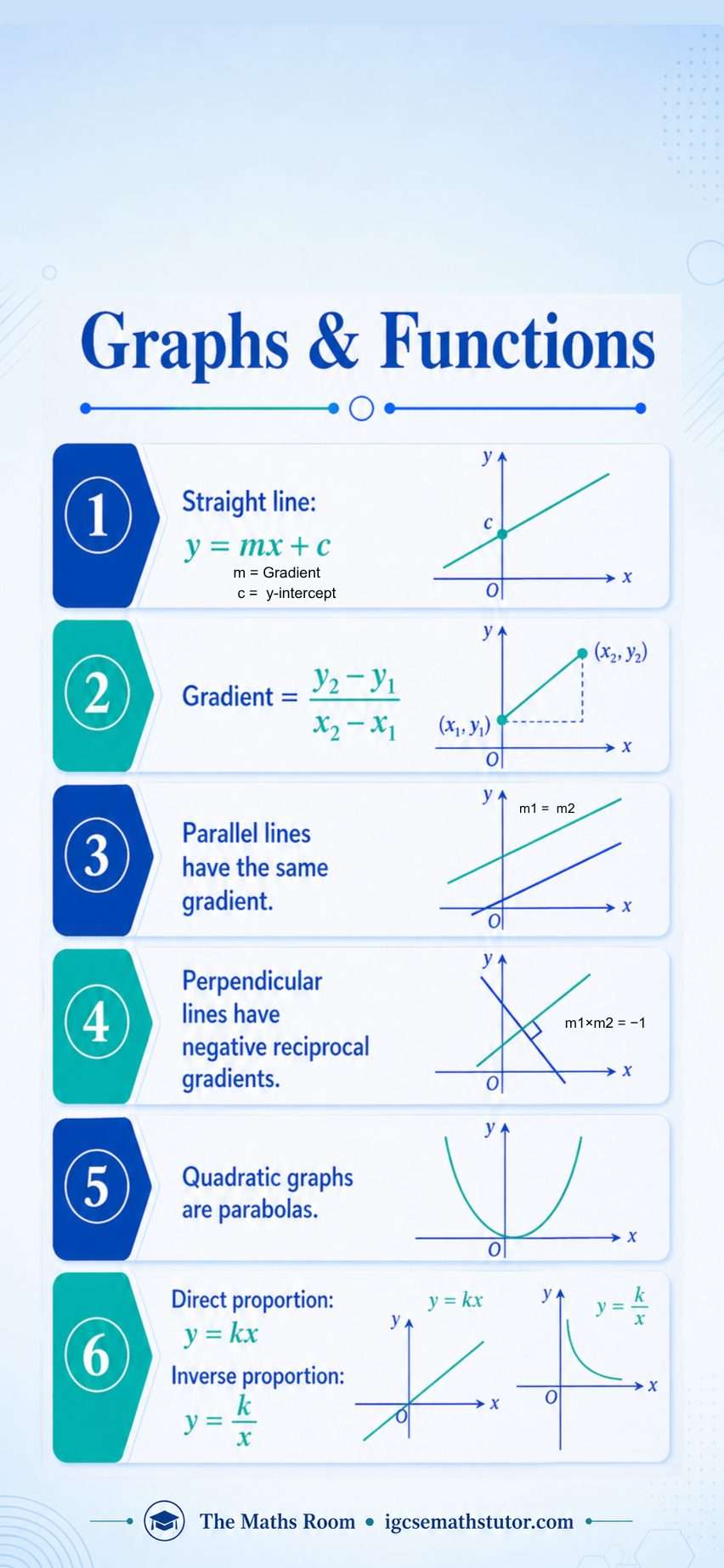
Graphs & Functions
Straight line equation, gradient formula, parallel and perpendicular gradients, quadratic graphs, direct and inverse proportion.
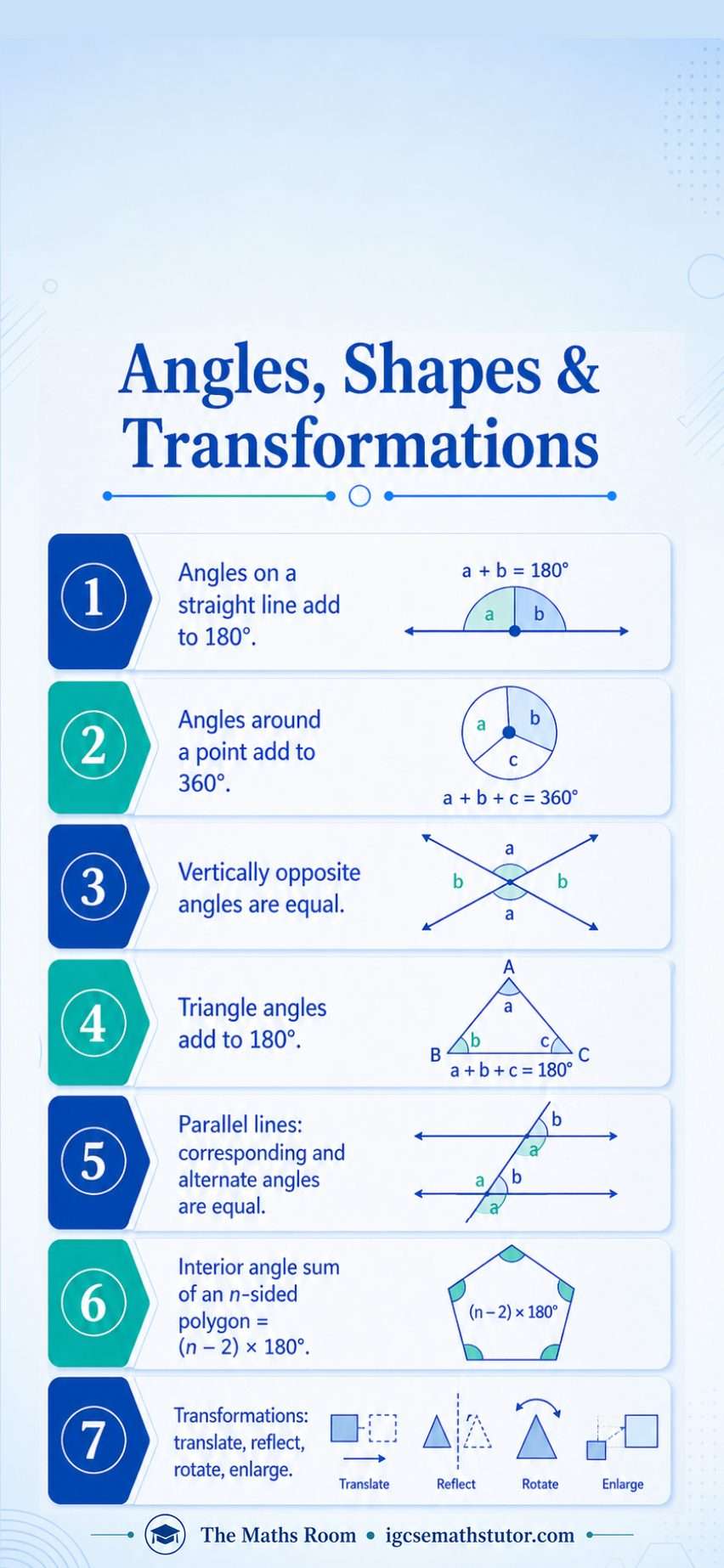
Angles, Shapes & Transformations
Angle facts on lines, around a point and in triangles, parallel line angles, polygon interior angle sum, the four transformations.
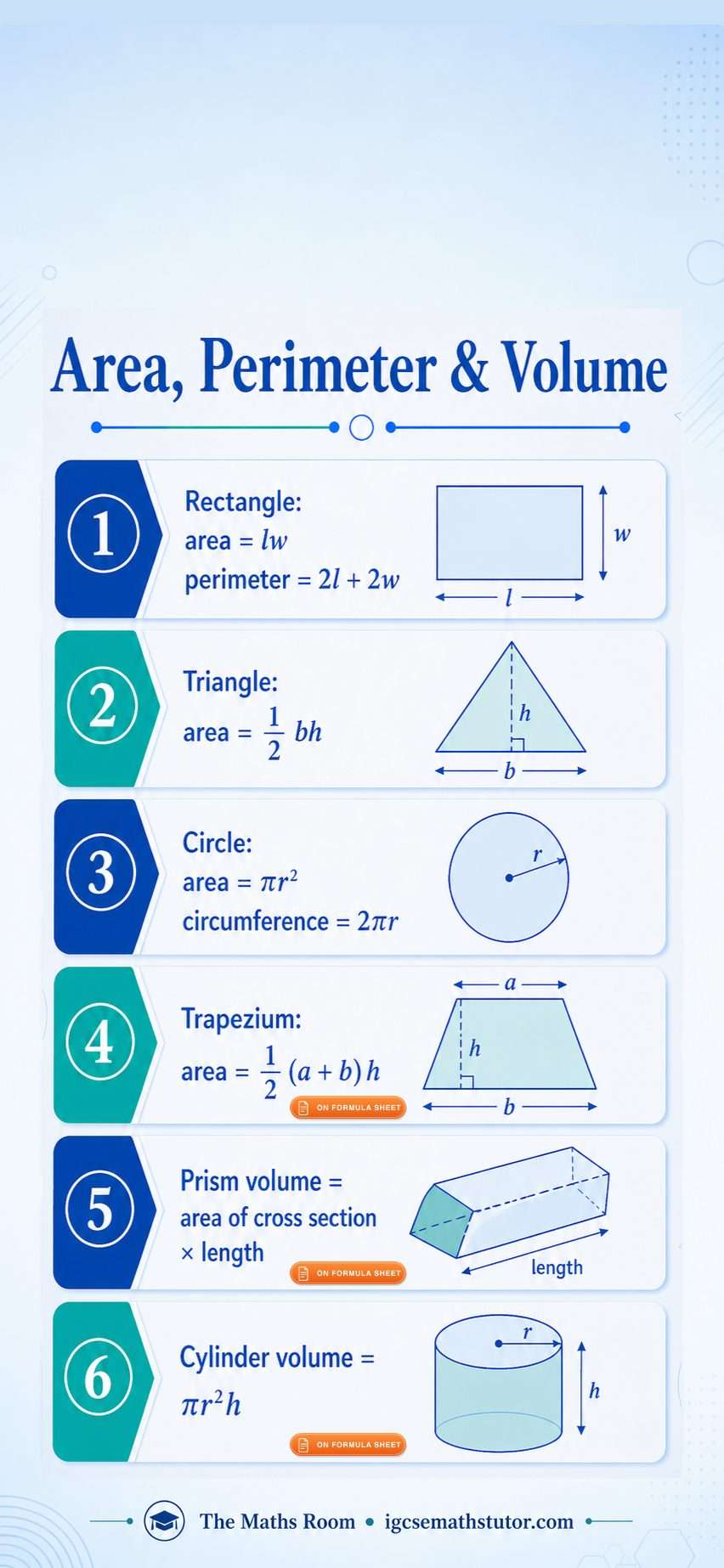
Area, Perimeter & Volume
Rectangle, triangle, circle and trapezium area, circle circumference, prism and cylinder volumes.
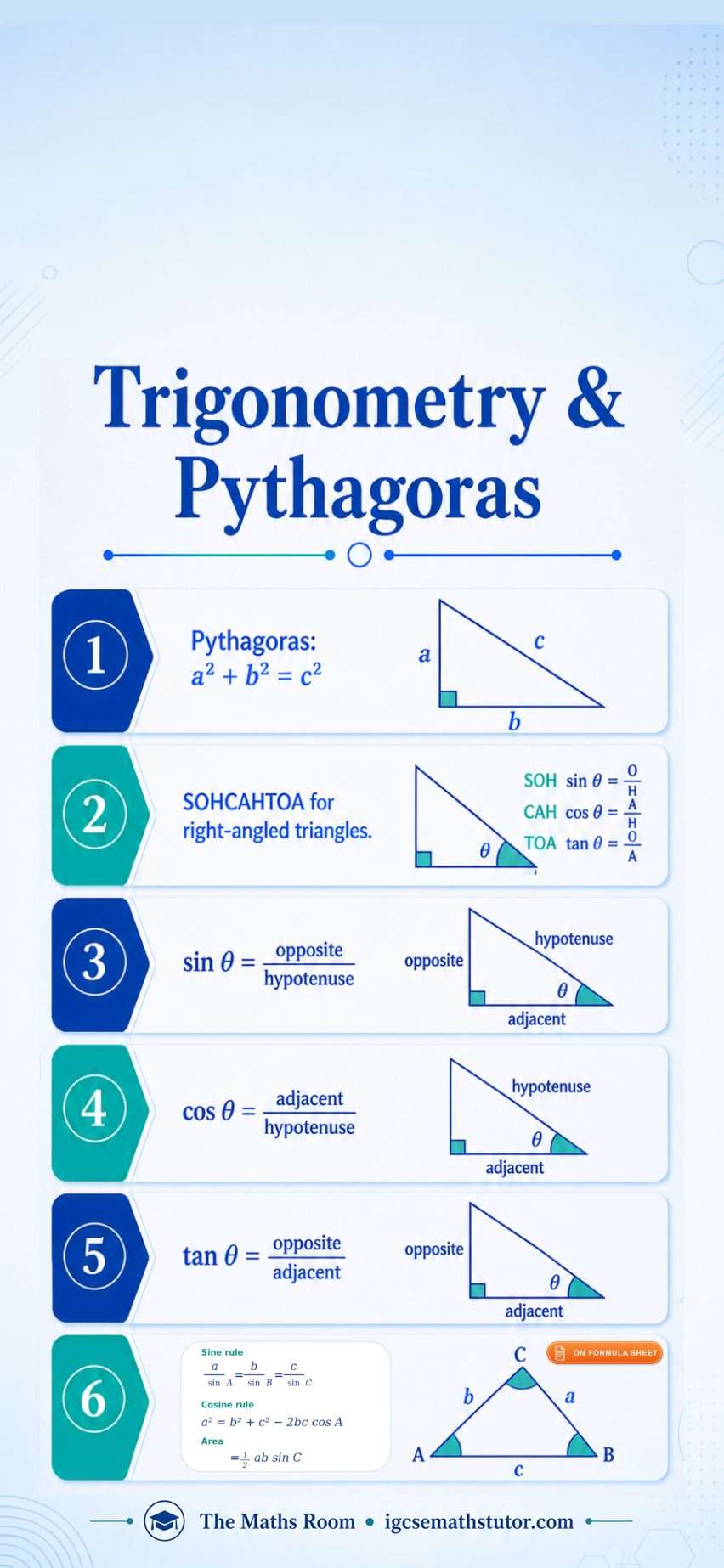
Trigonometry & Pythagoras
Pythagoras' theorem, SOHCAHTOA for right-angled triangles, sine and cosine rules, triangle area formula.
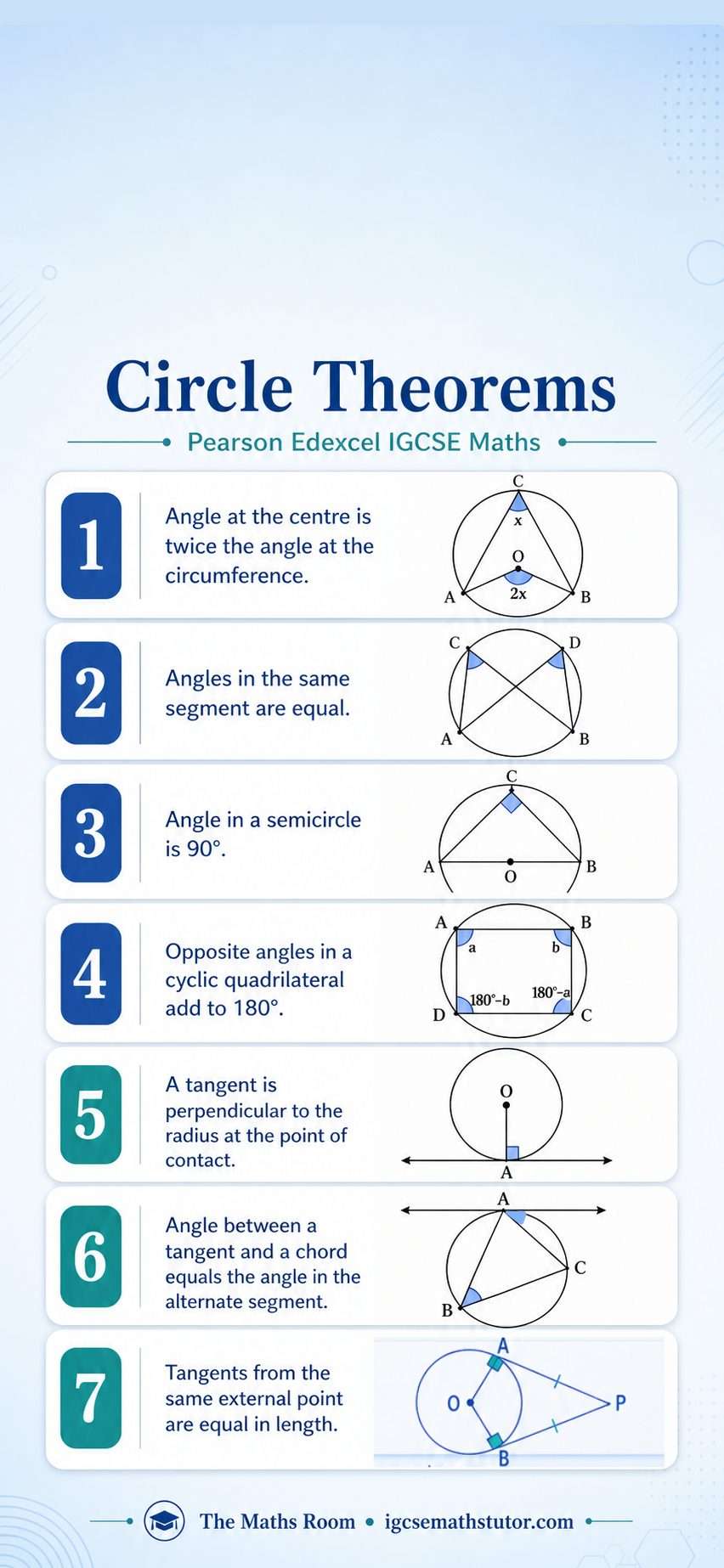
Circle Theorems
All seven circle theorems: angle at the centre, same segment, semicircle, cyclic quadrilateral, tangent rules, alternate segment.
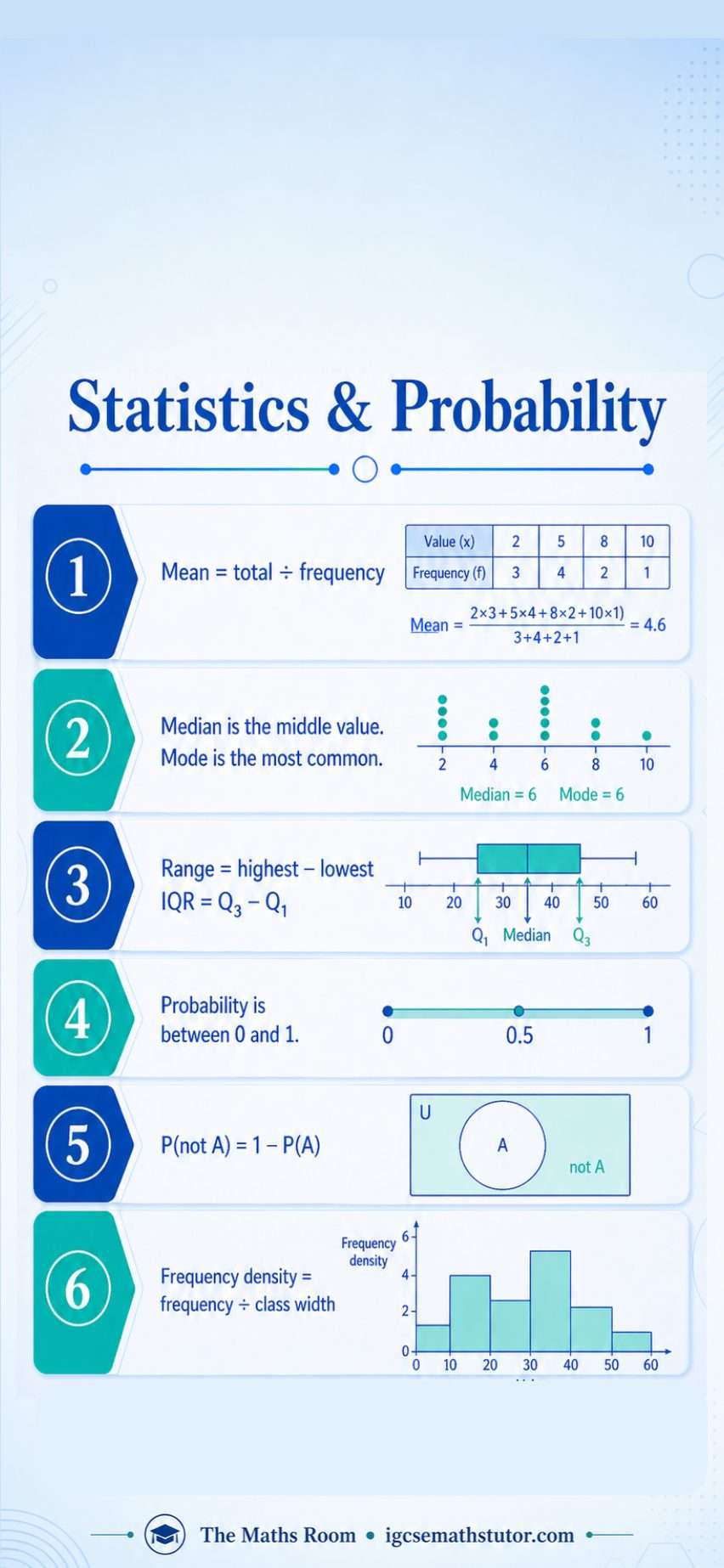
Statistics & Probability
Mean from a frequency table, median, mode, range, interquartile range, probability rules, frequency density for histograms.